For every admission seeker in 2026, verifying that your O’Level (WAEC, NECO, or NABTEB) result is successfully hosted on the JAMB Central Admission Processing System (CAPS) is non-negotiable. If your result is missing, your name will never appear on any institution’s admission list, regardless of how high you scored in the UTME.
Follow these exact steps to confirm your status and avoid the “Awaiting Result” trap.
The Step-by-Step Verification Process
Access the JAMB E-facility Portal
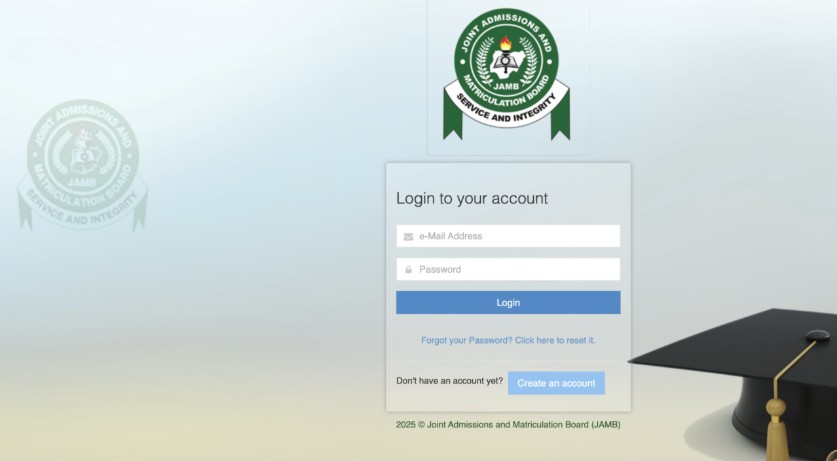
Go to the official portal at https://efacility.jamb.gov.ng/Login. Enter the email address and password you used during your JAMB registration to log in.
Navigate to Admission Status
On your dashboard, scroll down and locate the tab labeled “Check Admission Status.” Click on it to proceed.
Switch to 2026 Academic Year
This is a crucial step. Ensure the examination year selected in the dropdown menu is “2026.” If it shows a previous year, your current CAPS data will not load correctly.
Open the CAPS Interface
Click on the button labeled “Access my CAPS.” * Note for Mobile Users: If you are using a smartphone, you must set your browser to “Desktop Site” mode (found in your browser’s menu settings). Without this, the left-hand menu items will remain hidden.
Locate the “My O’Level” Tab
On the left-hand side menu of the CAPS page, click on “My O’Level.” This is the final destination where your academic data is stored.
What the Results Mean
Scenario A: Your Subjects and Grades Appear
If you see your subjects (Mathematics, English, etc.) clearly listed with their respective grades (A1, B2, C4, etc.), your upload was successful. You are fully eligible for admission consideration.
Scenario B: You See “Awaiting Result” or “AR”
If the page shows your subjects but the grades are listed as “AR” or “Awaiting Result,” it means the placeholder from your initial registration is still there. You must update this immediately.
Scenario C: You See “No Record Found”
This means no O’Level data has been linked to your profile at all. This usually happens if the initial upload failed or was never performed at an accredited center.
Immediate Action if Your Result is Missing
If you fall under Scenario B or C, you must act fast.
Visit a JAMB–Accredited CBT Center: Do not use a regular cyber café for this. Only accredited centers have the authorization to push data directly to the JAMB 2026 server.
Requirements: Carry a clear photocopy of your O’Level result and your JAMB registration number.
Verify Before Leaving: Before you leave the center, log back into your CAPS profile on your phone to ensure the grades are now reflecting correctly.